Guide to Using AI Offline in the Wild with Local LLMs
A complete guide to using AI offline in the wild: Local LLM setup, air-gapped systems, TrailMate tips, and hybrid Starlink setups for total freedom.
When you're two hundred meters from the summit in a canyon with no cell service, realizing you've lost the trail, and all you have is a power bank and a laptop, there's no need to panic. There are now AI models that work without internet, without connecting to cloud services, without making API calls. Local LLMs — large language models that run directly on your device — are no longer just toys for privacy enthusiasts at home; they have become genuine assistants for mountaineers, campers, and remote area researchers.
The most striking aspect of this technology is not just that it requires no internet, but that your data never leaves the device and it runs at nearly zero operating cost in the long term. With a one-time hardware investment, you can have your own AI assistant even during weeks-long expeditions. So how do these systems technically work, are they really useful in the wild, and how should you choose between a completely air-gapped setup and a hybrid Starlink system? Here are field-tested answers.
How Local LLMs Work and Technical Requirements

At the core of running a local LLM is keeping the model's parameters on your hardware and performing inference — that is, the model's response generation process — locally. Tools like Ollama, llama.cpp, and similar ones can fit models with 7 billion, 13 billion, or even 70 billion parameters into a normal laptop's RAM using a compression technique called quantization. Quantization reduces memory usage by holding model weights in 4-bit or 8-bit formats instead of 32-bit, while also bringing inference speed to acceptable levels.
Most sources skip over this, but quantization isn't just about "using less RAM"; you're also directly tinkering with the model's output quality. A 7B model with 4-bit quantization is enough for daily summaries and simple questions, but when you need complex topographic map interpretation or multi-step emergency planning, you'll notice the difference of an 8-bit 13B model. In my experience, if it's going to be used in the wild, running an 8-bit Llama 3 or Mistral-based model on a machine with at least 16GB of system RAM is the golden standard.
To start using Ollama, simply type ollama run llama3 in the terminal; it handles all the heavy lifting behind the scenes like Docker container management, automatic model file downloads, and system compatibility. llama.cpp offers a more minimalist approach; you compile a single C++ file and can run a model in GGUF format directly. My preference is to use Ollama for fixed camp setups and llama.cpp for hikes where weight and energy savings are critical. Thanks to the GGUF format, you can comfortably run a 13B model on 8GB of RAM — something even an average ultrabook can handle.
On the hardware side, a CUDA-enabled graphics card isn't mandatory, but the speed difference is incredible. Smooth token generation per second is possible with Metal GPU acceleration on Apple Silicon (M1/M2/M3) or CPU inference with AVX2/AVX-512 support on modern Intel/AMD processors. If you're going to build a truly portable setup, a trio of a mini PC with an Intel N100 processor or a powerful laptop, a portable SSD, and a power bank with sufficient capacity will do the job.
Guide to Offline AI in the Wilderness and the TrailMate Example

Offline outdoor AI applications like TrailMate are the most concrete example of how this technology is taking shape in the wild. They don't just answer text-based questions; thanks to multimodal models, they can interpret a photo you took of a plant, analyze the safety of a route on a topographic map, and provide first aid protocols step by step in an emergency. This is an experience far more interactive than what any classic offline map application can offer.
When I first learned about this, I was skeptical; I thought, "what is there to analyze in the wild, I already have an offline map on my phone." But with vision-enabled models like LLaVA, taking a photo of the contour lines on your physical map and asking "Is this route's descent angle dangerous?" is far more valuable than a static GPS. Especially in foggy weather or when setting up camp at night, having an image you took by flashlight interpreted can be lifesaving.
The most effective use case I've encountered in systems like TrailMate is running through "what-if" scenarios. For example, calculating optimal pace based on your remaining water and distance, or analyzing a slope profile visually and saying "There's a slipping risk on this descent, an alternative trail is 200 meters to the right." These types of analyses require inferential reasoning that a static GPS device simply cannot perform.
In practice, these systems come into play in the following scenarios: suggesting alternative routes by analyzing your current coordinates and surrounding topography when you've strayed off course; a quick toxicity analysis when you spot a wild plant or mushroom; or ranking risk factors when choosing a campsite by evaluating proximity to water sources and wind direction. All of this happens entirely locally, with no data ever leaving your device.
Air-Gapped: A Guide to Portable Offline AI Setups
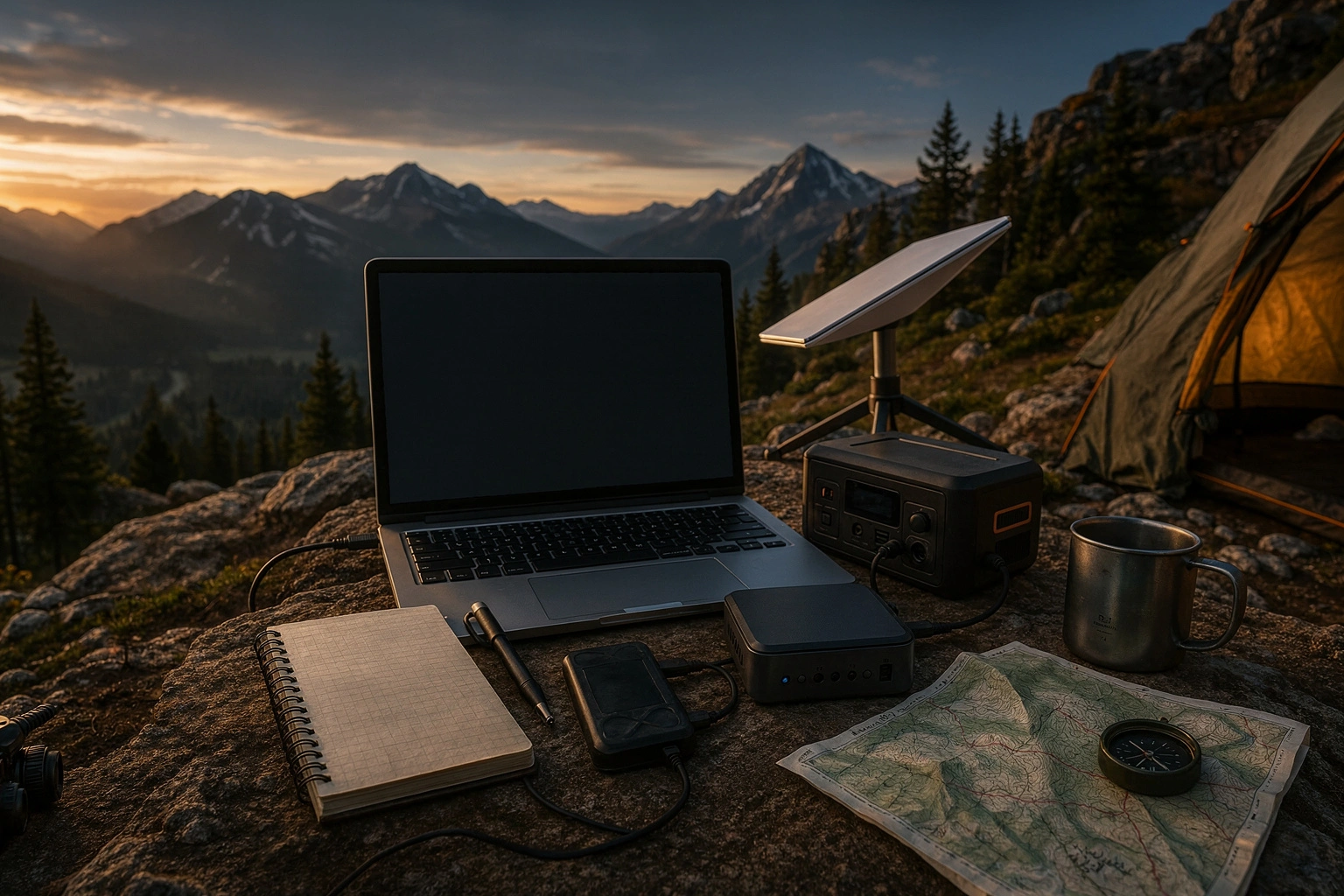
Air-gapped, meaning systems physically connected to no network whatsoever, represent the most radical and secure way to use local LLM technology. A full AI setup installed on an SSD can run on a mini PC in the corner of your camp tent, powered by a solar panel. The important thing here isn't just the absence of internet, but the system having no wireless connectivity whatsoever; Wi-Fi, Bluetooth, and even Ethernet completely disabled. This is a security practice originating from military and research worlds, and it has now entered the realm of outdoor enthusiasts.
The most overlooked aspect of this approach is this: being air-gapped doesn't just mean being "safe against hacking." It also means complete data sovereignty is yours. The routes you take, the analysis of the photos you shoot, the journals you keep — none of them pass through a cloud server. Building a portable setup is simple: a Linux distribution installed on a 500GB-1TB portable SSD, an 8-13B parameter model running via Ollama or llama.cpp, and a roughly 100W power station to feed the system.
When building a truly air-gapped camp setup, even the choice of operating system matters. I usually prefer a minimal installation of Ubuntu Server or Alpine Linux; both eliminate unnecessary background services, saving disk space and battery life. When you put the model files on a portable SSD, you can boot the system on any compatible device and instantly access the same AI environment. So in essence, you're building a "portable brain."
To give concrete numbers on energy management: a mini PC with an Intel N100 processor draws 15-25W during heavy inference. With a 100Wh portable power station, it can run for four hours uninterrupted, and with solar panel support, you can theoretically extend this indefinitely. The moment you disable Wi-Fi and Bluetooth at the BIOS level, the system communicates only over USB connections; this is the strictest definition of air-gapped.
Hybrid Outdoor Setups with Starlink
While fully offline setups offer tremendous freedom, a limited internet connection can sometimes be useful. This is where portable satellite internet systems like Starlink Mini come in. Maintaining the offline foundation of your local LLM while using Starlink only as a booster when needed is currently the most talked-about hybrid model in outdoor technology.
The logic behind this combination is simple: the local model handles most daily tasks — route planning, gear checklists, emergency simulations — on its own. But when you need weather satellite imagery, have to send a quick message to family, or want to access up-to-date medical databases, you turn on Starlink. This way, you don't keep the expensive, power-hungry satellite connection running continuously; you only bring it online for critical moments.
Looking at Starlink Mini's technical specs, we're talking about an average power consumption of 20-40W. That's nearly double your local LLM setup. So if you want to run both the mini PC and Starlink simultaneously, you'll need at least a 200Wh power source and a larger solar panel. That's why many users employ timers to turn Starlink on only during specific hours.
But there's one thing you need to watch out for: Starlink Mini's power consumption is much higher than the local LLM setup running on your mini PC. If your solar panel capacity is limited or you're operating in winter conditions, powering both systems simultaneously can be challenging. That's why energy management is critical in a hybrid model. My recommendation is to think of Starlink strictly as an "online mode" and treat offline AI as your base infrastructure. If you position internet connectivity as a luxury rather than a necessity, the system becomes far more sustainable.
The Local AI Trend in Privacy and Cost
If you follow offline LLM discussions on Reddit and developer forums, you'll immediately notice a rising trend. People are turning to local solutions not just so things "work where there's no internet," but also to escape API costs and avoid entrusting their data to someone else's servers. Especially in the startup ecosystem, this movement — called private AI growth — envisions companies processing customer data on their own devices.
An interesting trend on Reddit is the adoption of offline LLMs not just by individual outdoor enthusiasts, but also by agricultural field researchers and geology teams. These people have been experiencing delays between data collection and analysis for years due to the lack of internet infrastructure in the areas they visit. Thanks to local models, they can instantly process data gathered in the field and test their hypotheses on the same day.
From an outdoor enthusiast's perspective, the cost calculation is crystal clear. If you remained tied to the OpenAI API or a similar cloud service, every dozen questions you ask at camp or every image you have analyzed would mean a hefty bill when you get back. But once you make a one-time hardware investment of $500-1000, you have unlimited inference rights for years without paying another fee. This makes much more financial sense for a long-term exploration plan.
Another major motivation is privacy. You might not want to send personal journals kept in the mountains, analyses of the photos you take, or queries about your health condition to a cloud AI. In a local model, this data lives only in your RAM and is erased without a trace when the system shuts down. The community is increasingly demanding this freedom, and manufacturers are responding with lighter, more efficient models.
The Future of Edge AI in Light of Academic Research
These field observations have their counterparts in academia as well. Recent arxiv papers show that local AI and edge computing usage is rapidly increasing, and that on-device inference techniques have made significant progress, especially in resource-constrained environments. Researchers are not only shrinking large models, but also proving that small models specialized for specific tasks work much more efficiently compared to general-purpose massive models.
This trend is highly promising for wilderness conditions. Because the models we'll encounter in the future won't just be general AIs that "know a little about everything"; they'll be lightweight expert systems running on 2-3 billion parameters, deeply specialized in areas like topography analysis, meteorological data interpretation, and biological species recognition. This means they'll be able to run on low-power devices for longer periods and with higher accuracy.
Recent studies published on arxiv show that this burden on edge computing is being lightened not just on the hardware side, but in model architecture as well. Mixture-of-Experts (MoE) architectures and more efficient attention mechanisms deliver higher performance with less energy on small devices. This means your portable setup will consume far less battery and produce much smarter results in the future. As academic work advances in this direction, the air-gapped or hybrid system you build today is actually a preview of tomorrow's technology.
Now it's decision time. If you're content with short weekend treks, the offline map app on your phone is probably enough. But if you're planning a multi-day expedition where there's no internet and self-reliance is crucial, a local LLM setup is a serious competitive advantage. My recommendation is to set up a test environment at home and run an 8-bit 7B model on Ollama. Once you're comfortable, you can add the mini PC + portable SSD + power bank combo to your pack.
As for whether you want to buy a Starlink Mini, let the length of your route and level of isolation decide. Remember, hybrid systems offer luxury, but air-gapped setups offer freedom. And in the wild, freedom always weighs heavier. The technical details may seem intimidating, but once you're set up, imagine sitting at the summit with your own AI-powered command center. In that moment, all the setup effort is worth it.
Sources
- https://agenticai-flow.com/en/posts/local-llm-ollama-llamacpp-guide/
- https://www.outdoorgearlab.com/reviews/camping-and-hiking/personal-locator-beacon/starlink-mini
- https://insiderllm.com/guides/running-ai-offline-complete-guide/
- https://ai-navigate-news.com/en/articles/2c522012-c22e-4d31-86dc-a8651cb18f3c
- https://www.reddit.com/r/AnalyticsAutomation/comments/1t6mp1h/why_your_next_project_should_be_an_offline_llm
- https://www.reddit.com/r/AnalyticsAutomation/comments/1t7bgym/offline_llms_for_startups_the_private_ai_growth
- https://arxiv.org/abs/2511.05502
- https://arxiv.org/abs/2505.07672